AI Image to Video Generator Free Tools in 2026 (Create Stunning Videos from Images Easily)

Introduction
The rise of AI creativity tools has completely changed how videos are made. What once required advanced editing software, motion graphics skills, and hours of work can now be done in minutes using an AI image to video generator free tool.
Whether you’re a content creator, marketer, business owner, or just experimenting with digital storytelling, these tools allow you to turn static images into dynamic, animated videos effortlessly. From cinematic effects to smooth motion transitions, AI can now interpret images and bring them to life.
But with so many tools available, which ones are actually free, reliable, and worth your time?
In this guide, you’ll discover the best free AI image-to-video generators, how they work, real use cases, limitations, and expert tips to get high-quality results without paying a dime.
What Is an AI Image to Video Generator?
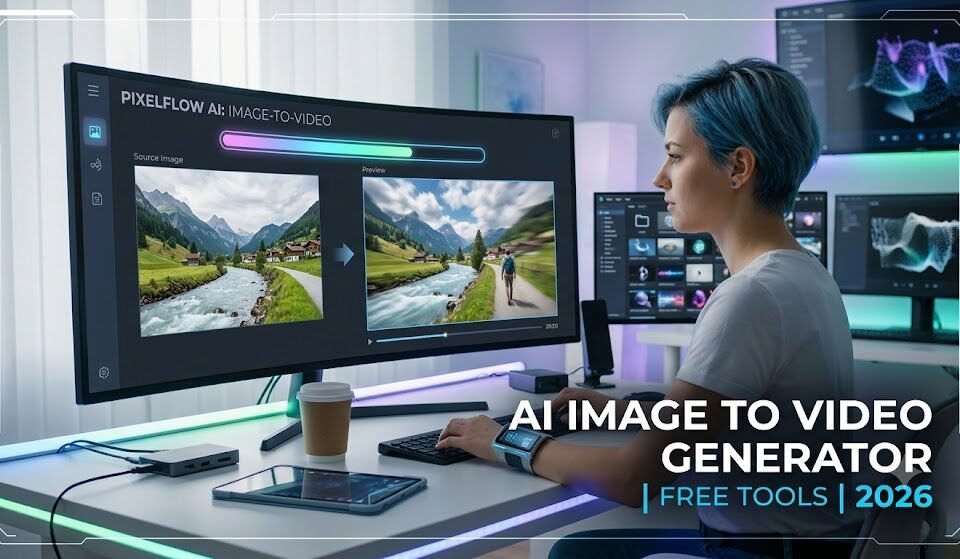
An AI image to video generator free tool uses artificial intelligence to convert still images into animated video content. Instead of manually adding motion, transitions, or effects, the AI analyzes the image and generates movement automatically.
How It Works
Most tools follow a similar process:
- Upload an image (portrait, landscape, artwork, etc.)
- AI analyzes depth, objects, and composition
- Motion effects are applied (zoom, pan, 3D movement, animation)
- Optional text, music, or transitions are added
- The final video is rendered and ready to download
Some advanced tools even use generative AI models to create new frames between images, making motion look smooth and realistic.
Why Use AI Image to Video Generator Free Tools?
The demand for video content is skyrocketing across platforms like YouTube, Instagram Reels, TikTok, and Facebook. But not everyone has the time or skills to edit videos manually.
Here’s why these tools are becoming essential:
1. No Editing Skills Required
Even beginners can create professional-looking videos.
2. Saves Time
What used to take hours now takes minutes.
3. Cost-Effective
Free tools eliminate the need for expensive editing software.
4. Boosts Engagement
Videos perform better than static images on social media.
5. Perfect for Marketing
Businesses can repurpose product images into ads instantly.
Best AI Image to Video Generator Free Tools in 2026
Below are some of the most reliable and widely used free tools you can try today.
1. Pika Labs (Free Plan Available)
Pika Labs is one of the most popular AI video generation platforms. It allows users to turn images into short animated videos using text prompts or image inputs.
Key Features:
- Image-to-video conversion with AI motion
- Text-to-video support
- High-quality cinematic effects
- Discord-based workflow (easy to use)
Best For:
- Social media creators
- Short cinematic clips
- AI storytelling
2. Runway ML (Free Tier)
Runway ML is a powerful AI creative suite used by professionals and beginners alike. Its Gen-2 model supports image-to-video generation.
Key Features:
- Advanced AI motion generation
- Realistic video synthesis
- Frame interpolation
- Cloud-based editing tools
Best For:
- Marketing videos
- Professional creators
- AI filmmaking experiments
3. Canva AI Video Generator
Canva now includes AI-powered video tools that allow users to animate images easily.
Key Features:
- Drag-and-drop interface
- Image animation tools
- Free templates for videos
- Built-in music and effects
Best For:
- Beginners
- Social media posts
- Business presentations
4. CapCut AI Video Tools
CapCut, widely used by TikTok creators, includes free AI features for turning images into videos.
Key Features:
- Auto animation effects
- Templates for trending videos
- Easy mobile editing
- AI transitions and effects
Best For:
- TikTok & Reels creators
- Mobile editing
- Quick content creation
5. PixVerse AI
PixVerse is an emerging AI tool that focuses on generating high-quality animated videos from images.
Key Features:
- Image-to-video transformation
- Realistic motion effects
- Fast rendering
- Free credits for beginners
Best For:
- AI art animation
- Creative storytelling
- Experimental content
How to Use an AI Image to Video Generator Free (Step-by-Step)
Even though each platform is different, the general process remains similar.
Step 1: Choose a Tool
Pick a free AI tool like Runway ML or CapCut depending on your needs.
Step 2: Upload Your Image
Use a high-quality image for best results. Avoid blurry or low-resolution photos.
Step 3: Select Animation Style
Choose motion types such as:
- Zoom in/out
- 3D parallax
- Cinematic pan
- AI-generated motion
Step 4: Add Optional Inputs
Some tools allow:
- Text prompts (describe motion)
- Background music
- Filters or effects
Step 5: Generate Video
Click generate and wait for AI processing (usually 30 seconds to a few minutes).
Step 6: Download & Share
Export the final video in MP4 format and share on social media platforms.
Use Cases of AI Image to Video Generator Free Tools
These tools are not just for fun—they have real-world applications.
1. Social Media Content Creation
Turn static posts into engaging Reels and Shorts.
2. Marketing & Advertising
Businesses can animate product images for ads.
3. Educational Content
Teachers can create visual learning materials.
4. Storytelling & Animation
Artists can bring illustrations to life.
5. Real Estate Marketing
Convert property photos into virtual walkthrough videos.
Benefits of AI Image to Video Technology
AI-driven video generation offers multiple advantages:
Fast Production
No need for complex editing timelines.
High Creativity
AI suggests motion styles you may not think of.
Scalability
Create dozens of videos in minutes.
Accessibility
Anyone with a smartphone or browser can use it.
Limitations You Should Know
While powerful, free tools come with some restrictions:
- Limited video length (usually 5–10 seconds)
- Watermarks on free plans
- Lower resolution exports
- Daily or monthly usage limits
- Occasional AI motion glitches
For professional work, upgrading to paid plans may be necessary.
Expert Tips for Better AI Video Results
To get the best output from any AI image to video generator free tool, follow these tips:
Use High-Quality Images
Clear images produce smoother motion effects.
Keep Background Simple
Busy backgrounds may confuse AI motion detection.
Use Close-Up Subjects
Faces and objects work better than wide landscapes.
Experiment with Prompts
Try descriptive inputs like:
- “slow cinematic zoom”
- “soft parallax motion”
- “dramatic lighting effect”
Combine Tools
Use Canva for editing and Runway for generation for better results.
Future of AI Image to Video Technology
AI video generation is evolving rapidly. In the near future, we can expect:
- Longer video generation (30–60 seconds+)
- Real-time AI video editing
- Fully automated storytelling
- Hyper-realistic motion simulation
- Integration with VR and AR platforms
The gap between professional editing and AI-generated content is shrinking fast.
Conclusion
The rise of the AI image to video generator free ecosystem has made video creation faster, easier, and more accessible than ever before. Whether you’re a beginner exploring creative tools or a marketer scaling content production, these AI platforms offer a powerful way to transform static images into engaging videos in minutes.
While free versions come with limitations, they are more than enough to experiment, learn, and even produce content for social media growth. As AI continues to evolve, we are moving toward a future where anyone can become a video creator without technical barriers.
Frequently Asked Questions (FAQ)
1. What is the best free AI image to video generator?
Runway ML, Pika Labs, Canva, and CapCut are among the best free options available in 2026.
2. Can I use AI image to video tools for YouTube?
Yes, many creators use them for Shorts, intros, and storytelling content.
3. Do free AI video generators add watermarks?
Some tools do, especially on free plans. Canva and CapCut often allow watermark-free exports depending on usage.
4. Is AI image to video conversion safe to use?
Yes, most reputable platforms use secure cloud-based systems and do not store personal data permanently.
5. Can I monetize AI-generated videos?
Yes, as long as the platform’s license allows commercial use. Always check terms before publishing.